


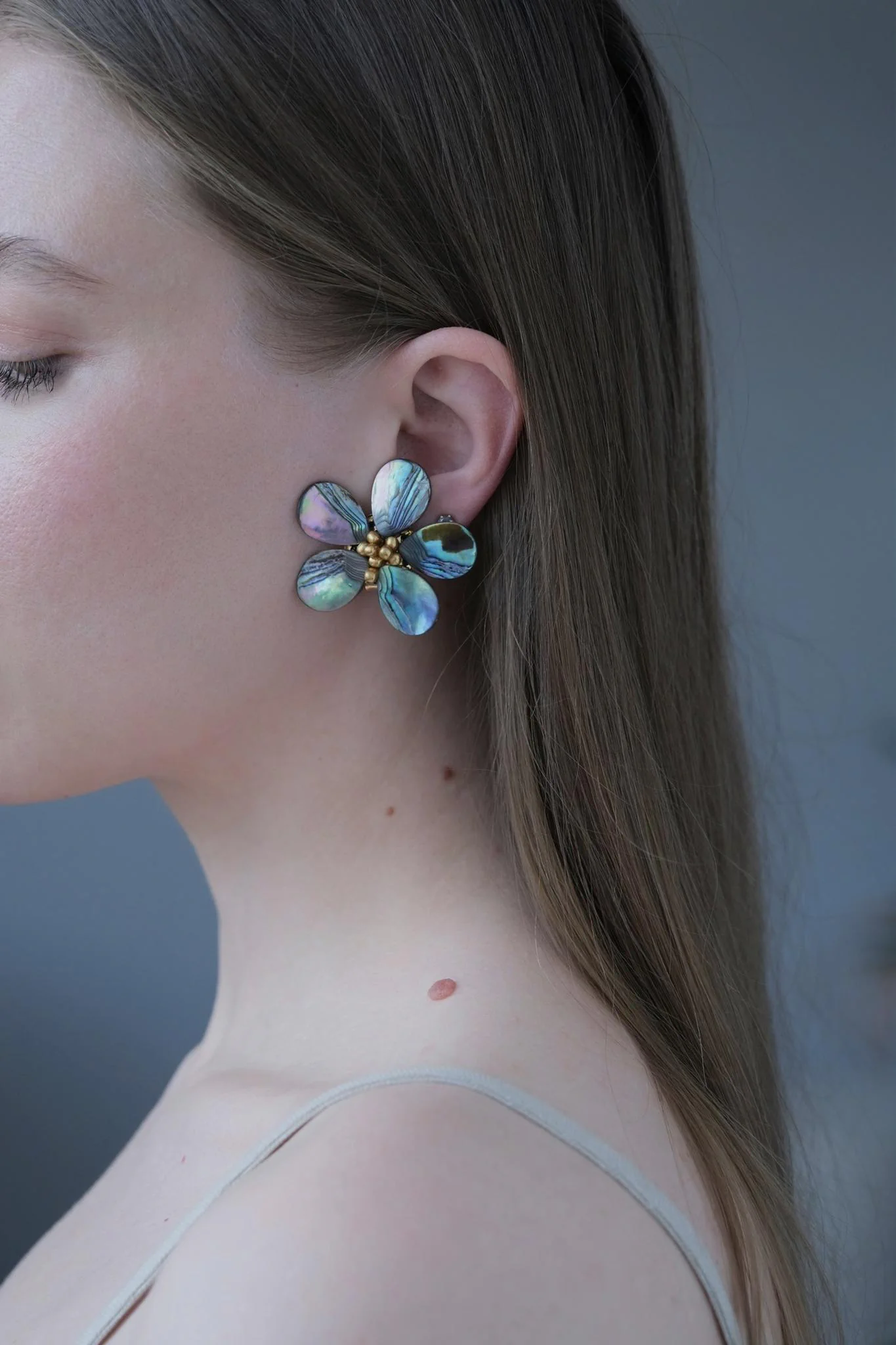
A photograph with jewellery can become a small note about yourself: how your hair fell, the shirt colour you enjoyed that day and the earrings beside your face. Begin with a phone, a familiar place and a few unhurried minutes. Decide what you want to remember: the whole outfit, the jewellery's shape or an individual detail. That choice helps determine the distance from the camera and the space around the subject.
Find light you can work with
Stand near a window and look at the phone screen. First face the light, then turn slightly sideways. Compare where the face and jewellery are visible and where shadows appear. For a first attempt, a position outside a patch of direct sunlight makes a useful place to begin experimenting.
If a bright reflection hides a bead or metal surface, shift your head or camera a little. Move gradually and check each result. With the mother-of-pearl petals of Northern Dawn, it is interesting to watch the changing shades. Choose the view you would like to remember today.
Check the lines behind you
Look at the background: a door edge, shelf or bright object might appear immediately beside an earring. Try stepping sideways or pointing the camera in a slightly different direction. A plain wall, curtain or quiet part of the room offers a straightforward starting point for the composition.
Clothes also become a background for jewellery. When photographing long earrings or a necklace, check whether their shapes remain visible against the fabric. Compare two scarves draped around your shoulders if that helps. Choose the combination in which you can distinguish the lines and colours you want to show.

Try three different pictures
Begin with a portrait including your shoulders, preserving the hairstyle, clothes and general mood. Next, frame a closer view with the jewellery beside the ear or neckline. Make a third picture about an individual detail. This small sequence tells you more than several almost identical photographs taken in succession.
The catalogue shows Northern Dawn both on its own and on a model, allowing you to see the flower's shape and its scale. Try the same idea in personal photographs: a separate picture preserves the pattern of the petals, while a portrait shows the piece within your chosen outfit.
Check details before the next attempt
Before starting, check that the phone lens is clean, following the manufacturer's care instructions. Hold the device steadily and review the sharpness of each picture. If details are difficult to distinguish, change your distance and try again. Look closely while it is still easy to repeat the position and light.
Notice hair lying across an earring, a twisted charm or the edge of a collar. Adjust whatever interferes with your idea, then take another picture from the same position. Changing one detail at a time helps you see which adjustment improved the photograph and what you would prefer to leave alone.
Keep the colours familiar
When editing, begin with the crop and small brightness adjustments. Compare the image with the jewellery itself in even light. If a filter turns blue into purple or removes a surface pattern you enjoy, reduce its effect or return to the original photograph and try a gentler adjustment.
Save the original and one selected version. A short note about the place, outfit or mood adds personal context. Over time, these pictures can form a small record of your style: different days, familiar pieces and details that catch your attention in a slightly different way each time.
Comments
Questions, observations and useful additions from readers.
New and edited comments appear after moderation.
Start the conversation
Be the first reader to leave a thoughtful comment.